Track the profit on each job
Group a job’s quotes, invoices, purchases and expenses, and see what you made.
-
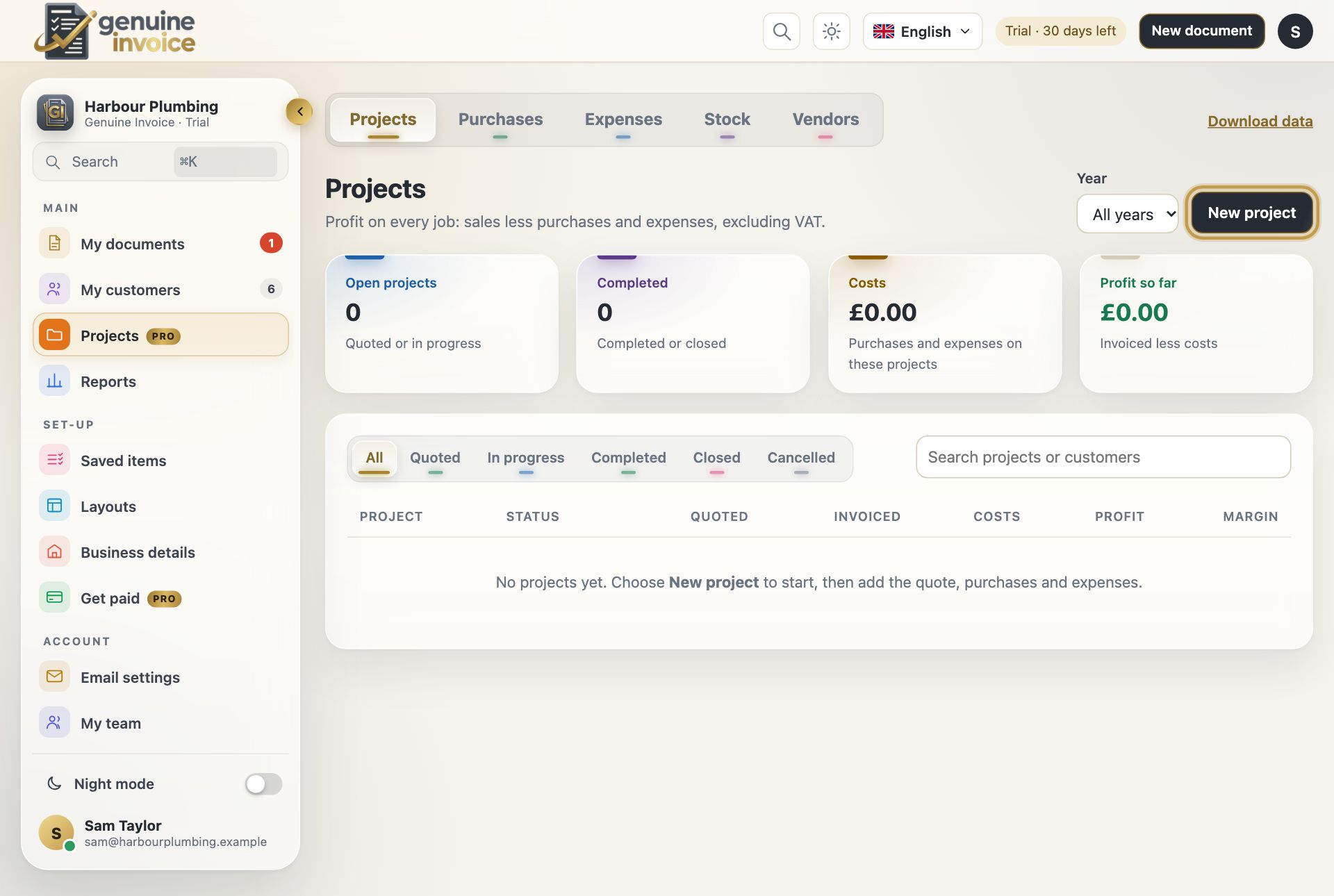
Start a project
Choose Projects in the menu (part of the Pro plan, and of your free trial), then New project.
-
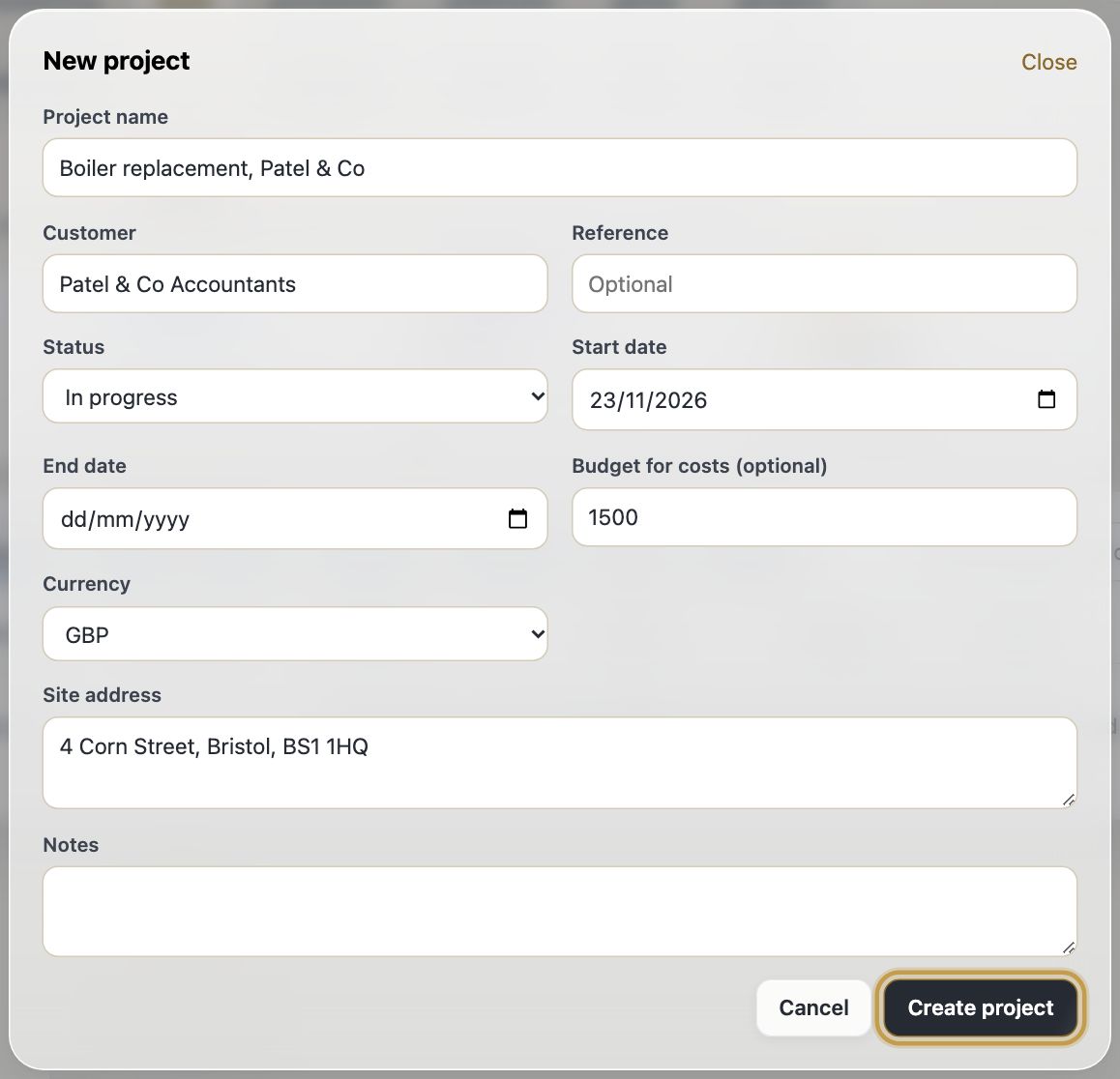
Describe the job
Give it a name, the customer, its status and dates, and a budget for costs if you have one. Choose Create project.
-
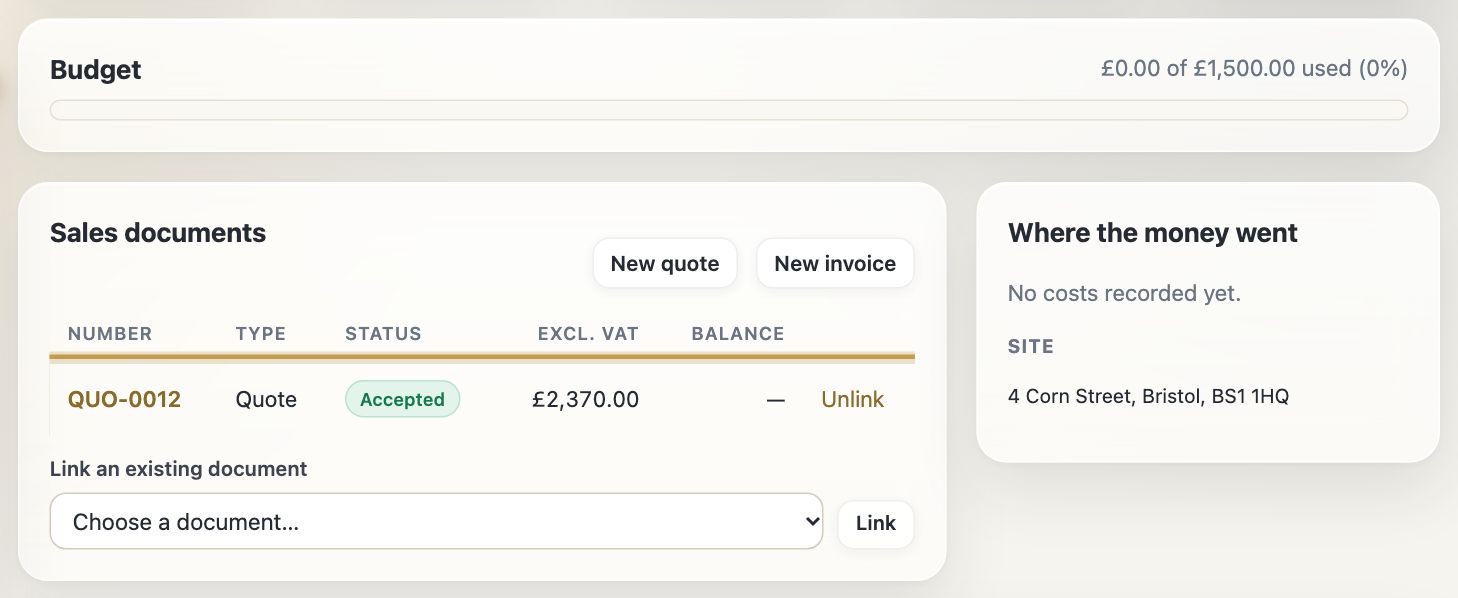
Add its quotes and invoices
On the project, choose New quote or New invoice, or pick an existing document under Link an existing document and choose Link. You can also choose the project on a document itself.
-
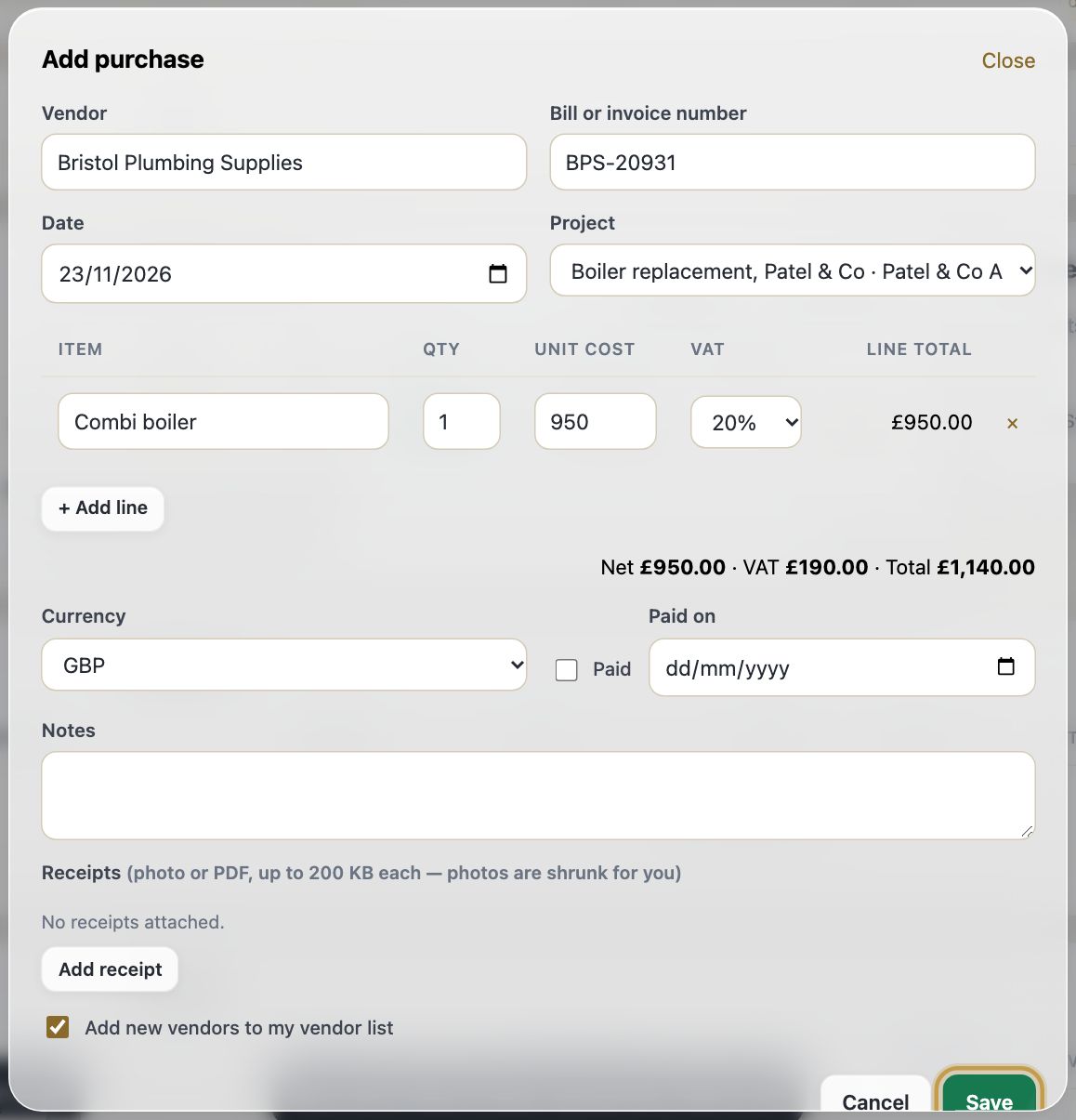
Record what it cost
Choose Add purchase for a supplier’s bill (with a photo of the receipt if you like), or Add expense for fuel, parking and the like. The project shows sales, costs and profit, without VAT.