Payment reminders
Late payers get polite reminders automatically, from your own email address.
-
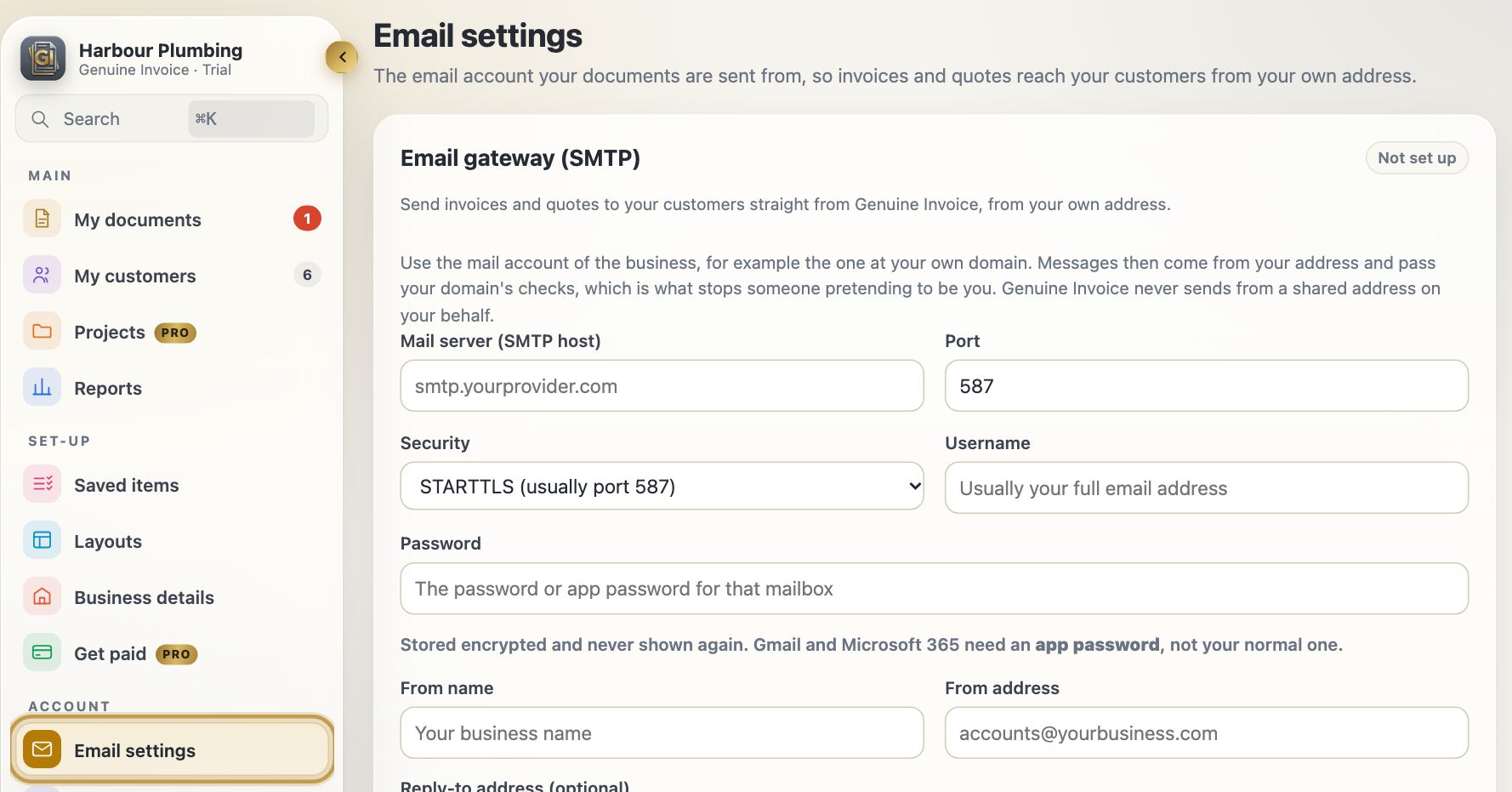
Connect your email
Reminders go from your own address, so they need your email connected first: see Connect your email account.
-
Reminders go out by themselves
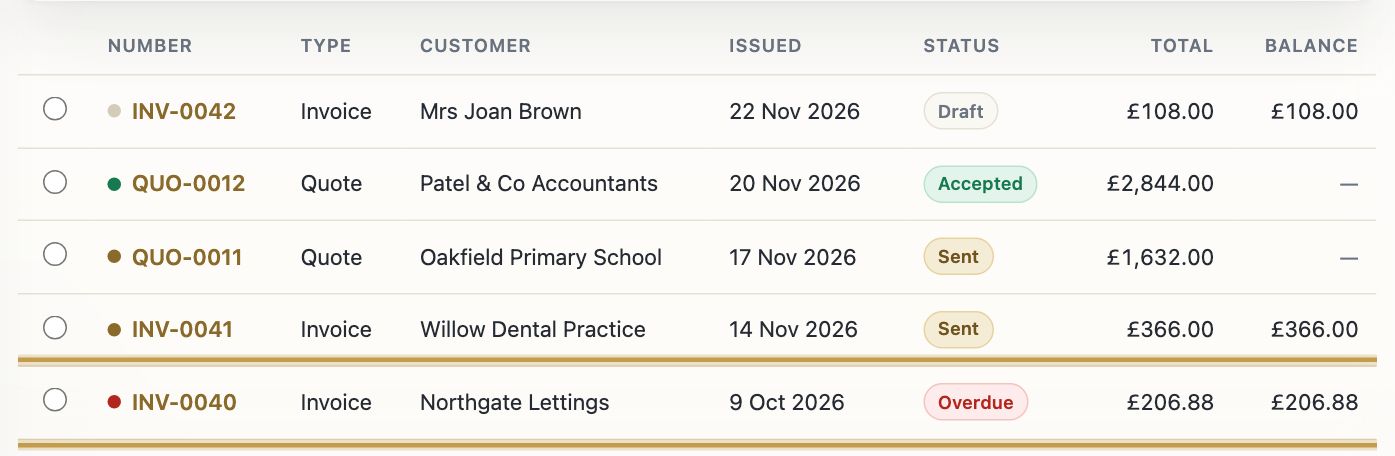
Once an invoice is overdue and still unpaid, your customer is sent a reminder a week after the due date, then once a week, up to four in all. It goes to the email address on the invoice. When the fourth has gone, you get an email so you can follow it up yourself.
-
Stop them for an invoice
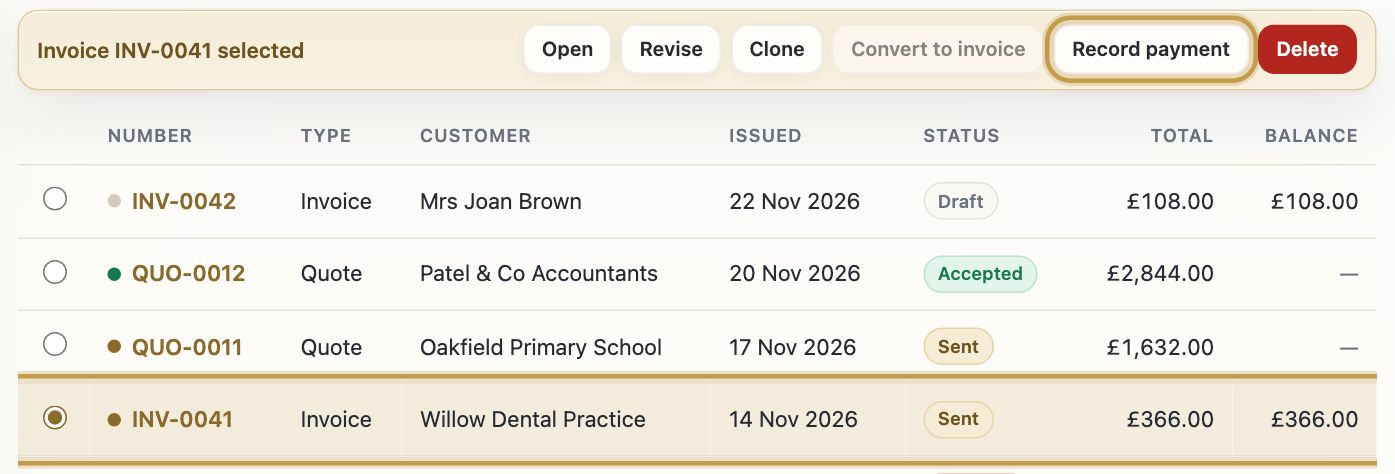
Reminders stop as soon as the invoice is paid, so record the payment when it arrives. Invoices in the bin are not chased.
-
Switch them off, if you prefer
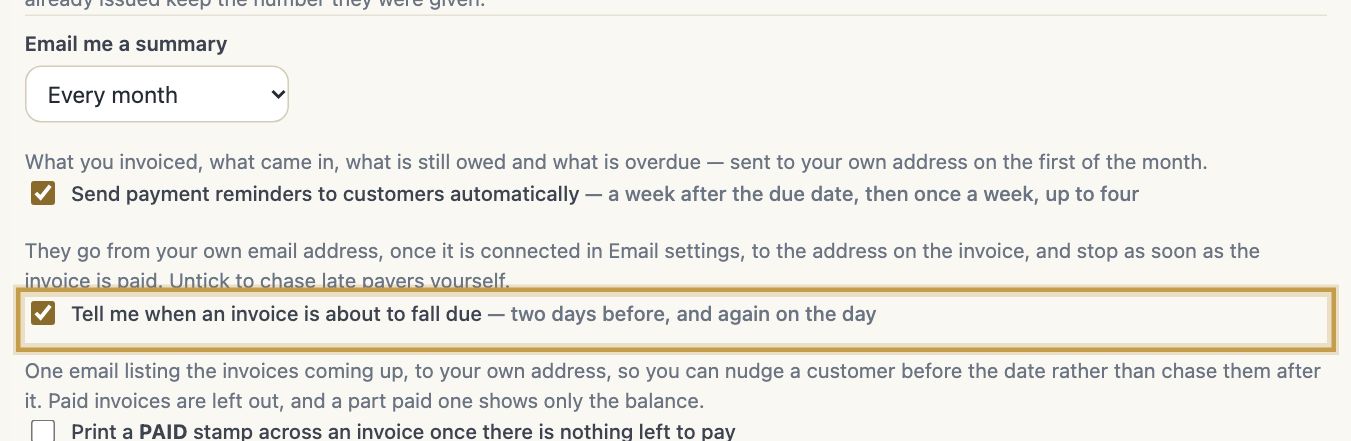
Reminders are on for every company to start with. To chase late payers yourself instead, open Business details, go to the Documents tab, untick Send payment reminders to customers automatically and save. Tick it again whenever you like.

-
A nudge for you, before the due date
On the same tab, tick Tell me when an invoice is about to fall due. You get one email two days before, and again on the day, so you can remind a customer before it is late.