

Connect your email account
Send invoices and quotes from your own email address, so they reach your customers.
-
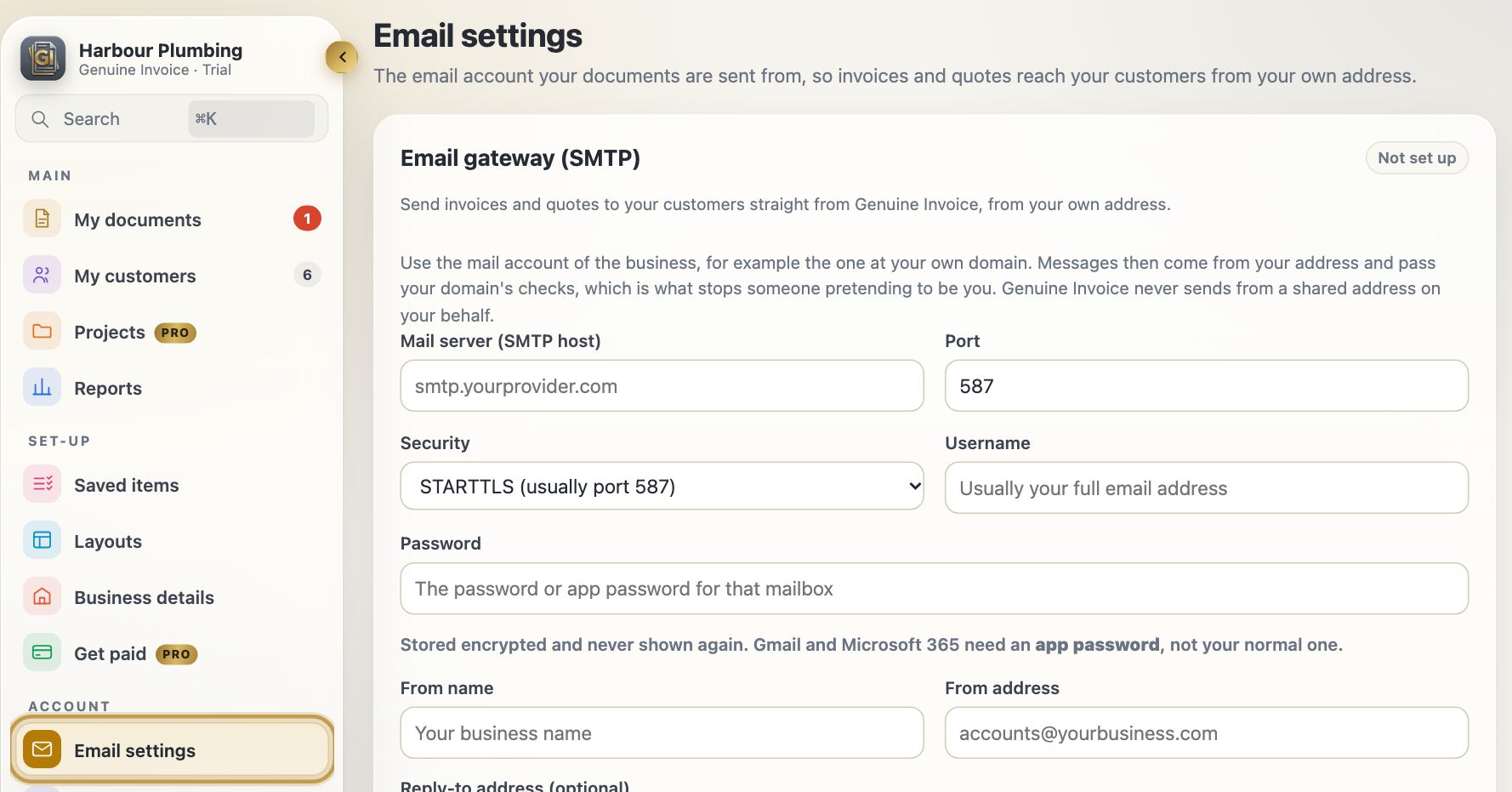
Open Email settings
Choose Email settings in the menu. If you run more than one company, each has its own.
-
Use Gmail or Outlook, if offered
If you see Connect Gmail / Outlook further down the page, that is the easiest way: choose it and sign in with Google or Microsoft. Nothing else is needed. Otherwise, carry on with the next step.
-
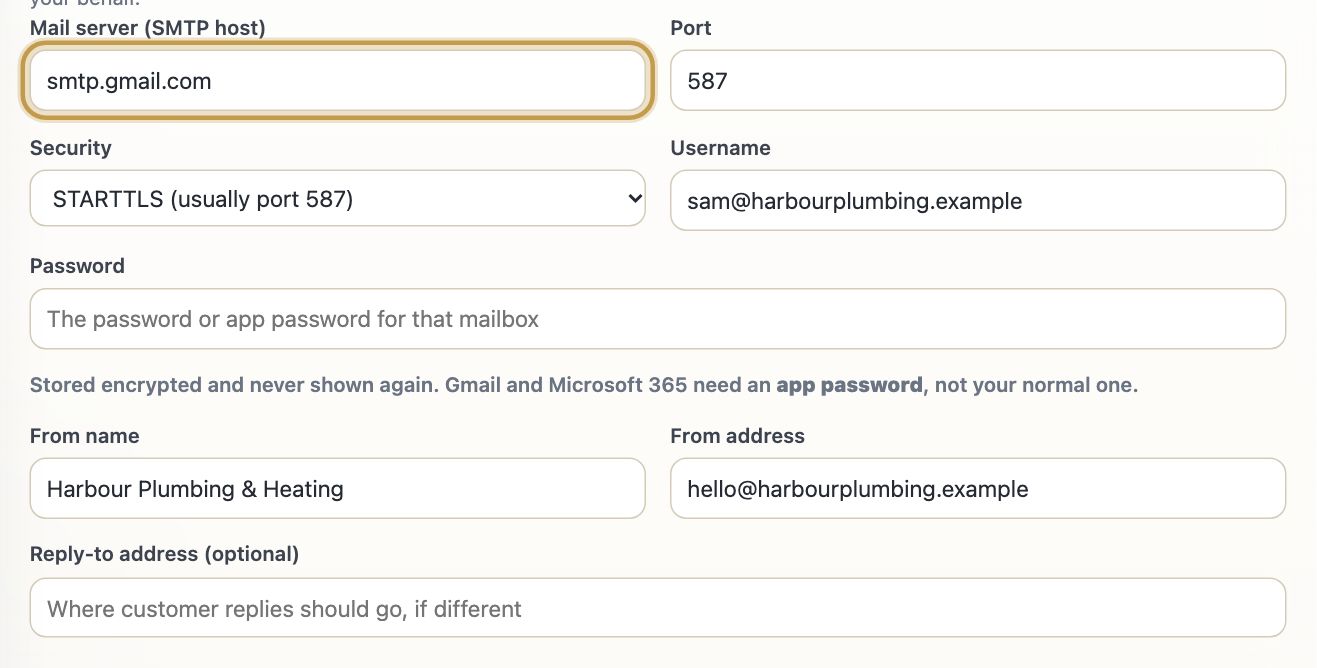
Or fill in your mail server details
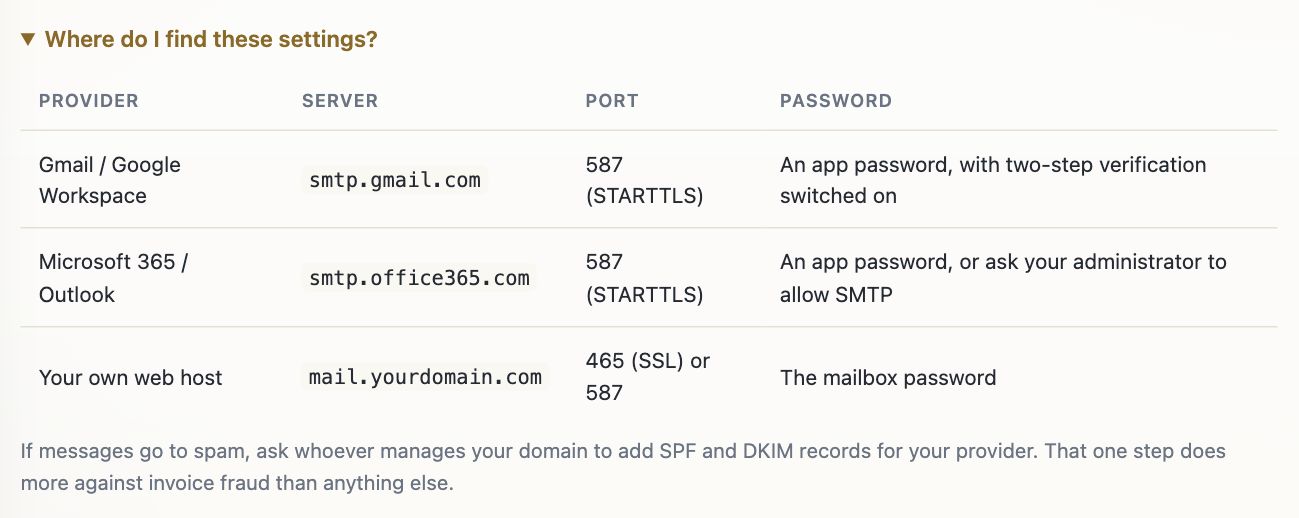
Type your mail server, port, security and username, the password for that mailbox, and the name and address your emails should come from. Not sure what to type? Open Where do I find these settings? for the usual ones. Gmail and Microsoft 365 need an app password, not your normal one.
-
Save, and send yourself a test
Choose Save email settings. Then send yourself a test message from the same page, to check everything works.
