Record a payment
Mark an invoice as paid, or part paid, when the money arrives.
-
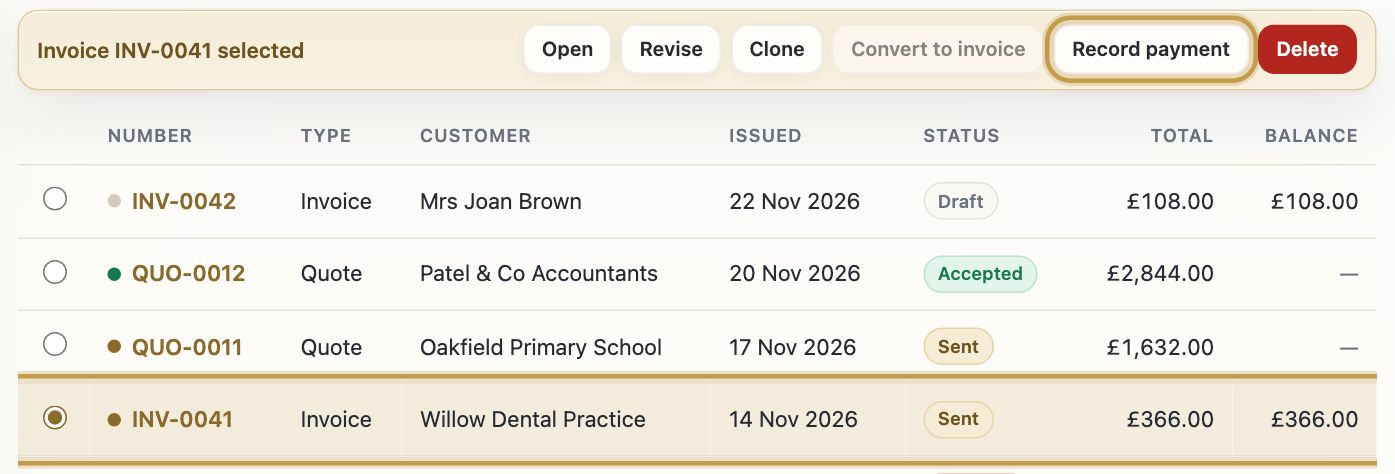
Select the invoice
In My documents, tick the circle at the start of the invoice’s row, then choose Record payment in the bar above the list.
-
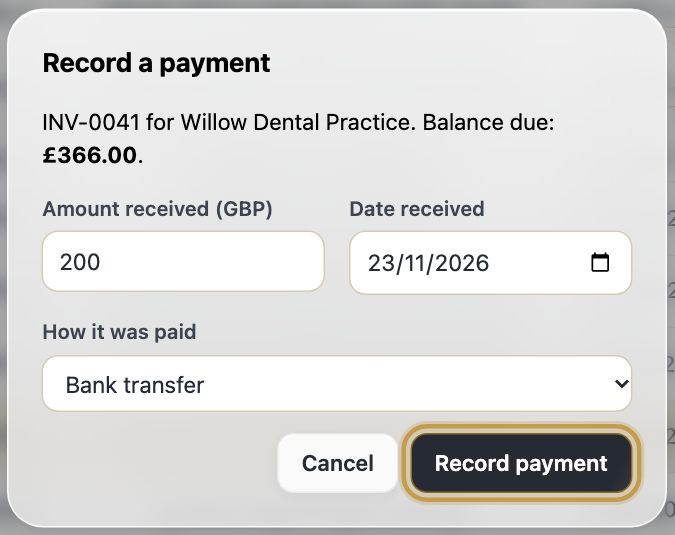
Enter what you received
The full balance is filled in. For a part payment, change the amount. Check the date and how it was paid, then choose Record payment.
-
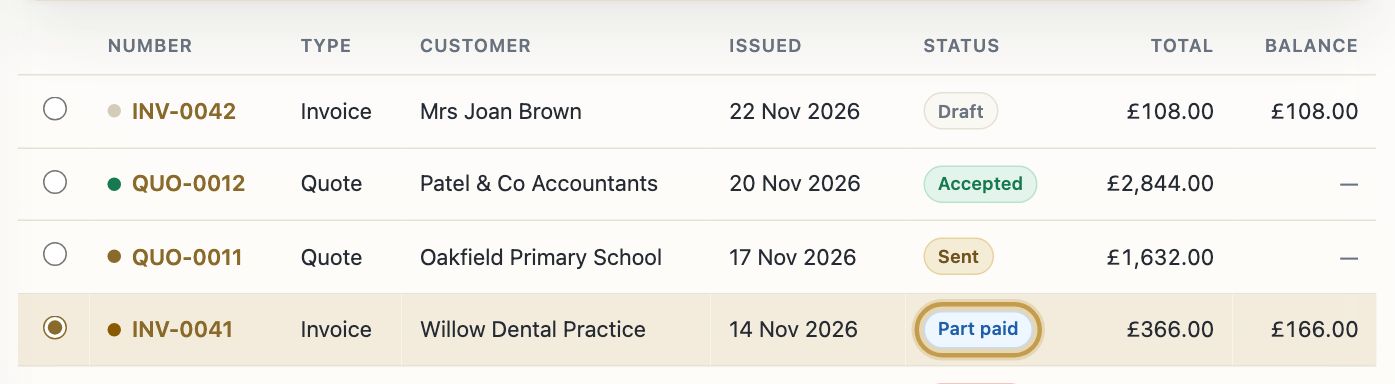
See the balance update
The invoice is now Paid, or Part paid with the balance still owed shown beside it. Your dashboard and the customer’s balance update straight away.
-
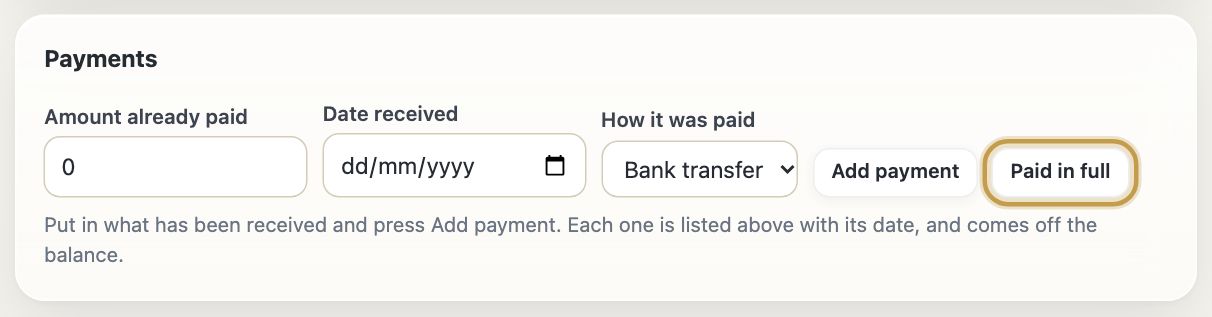
Or do it inside the invoice
With the invoice open, the Payments section has Add payment and Paid in full. Save the invoice afterwards.