Correct an invoice you have sent
Make a new version of a sent invoice, and keep the original as a record.
-
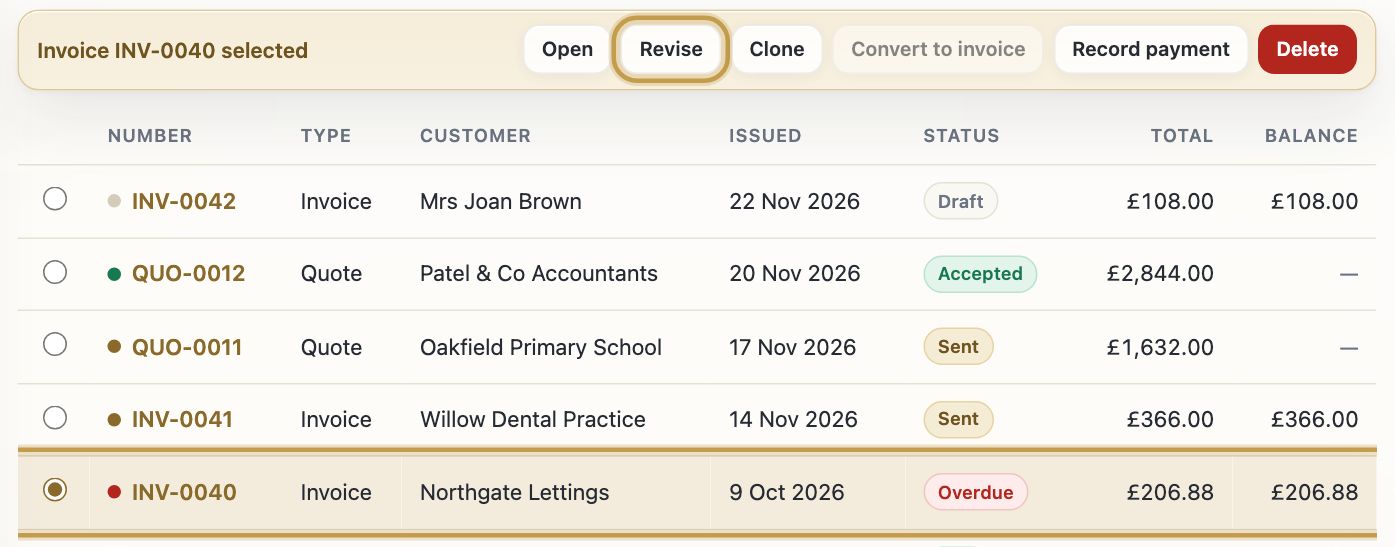
Select the invoice and choose Revise
In My documents, tick the circle at the start of the invoice’s row, then choose Revise.
-
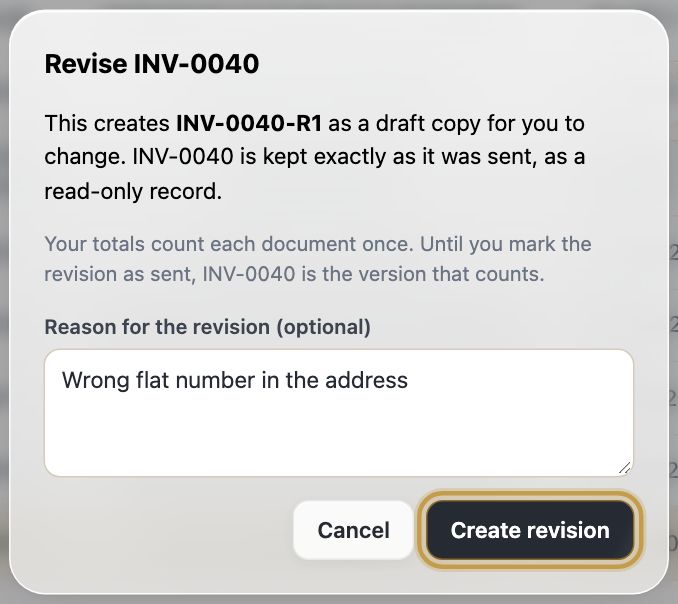
Create the revision
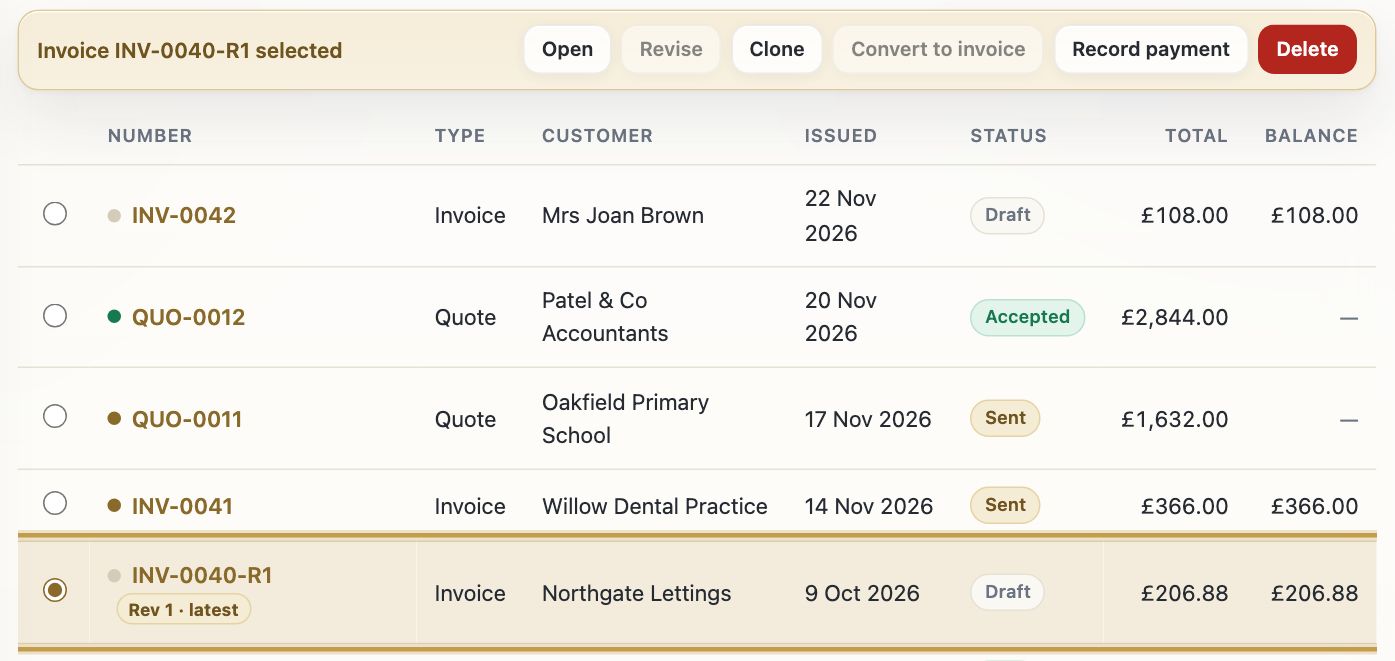
Say why, if you like (only you see it), then choose Create revision. A draft copy is made with -R1 on its number; the invoice you sent is kept exactly as it was.
-
Make your changes and send it
Open the revision, correct it, save it and send it. Until you mark the revision as sent, the original is the one that counts in your totals.