

Send an invoice by email, WhatsApp, PDF or print
Get your invoice to your customer whichever way suits them.
-
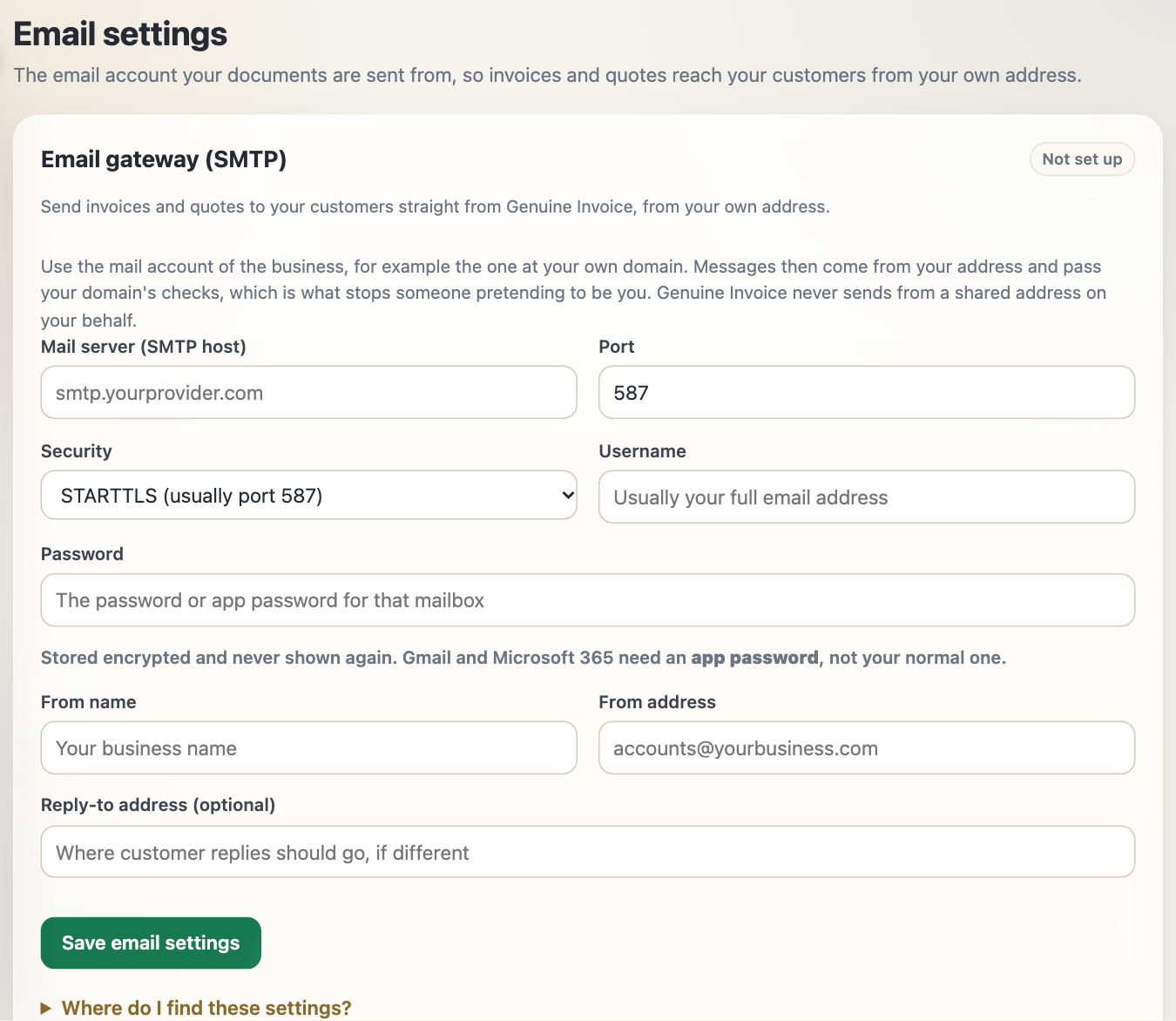
First time: connect your email
Invoices are emailed from your own address, so they reach your customer and stay out of spam. Before your first email, open Email settings in the menu and fill in your email account’s details. You only do this once.
-
Choose Email to customer
Open the invoice, or stay on the screen you see straight after saving, and choose Email to customer.

-
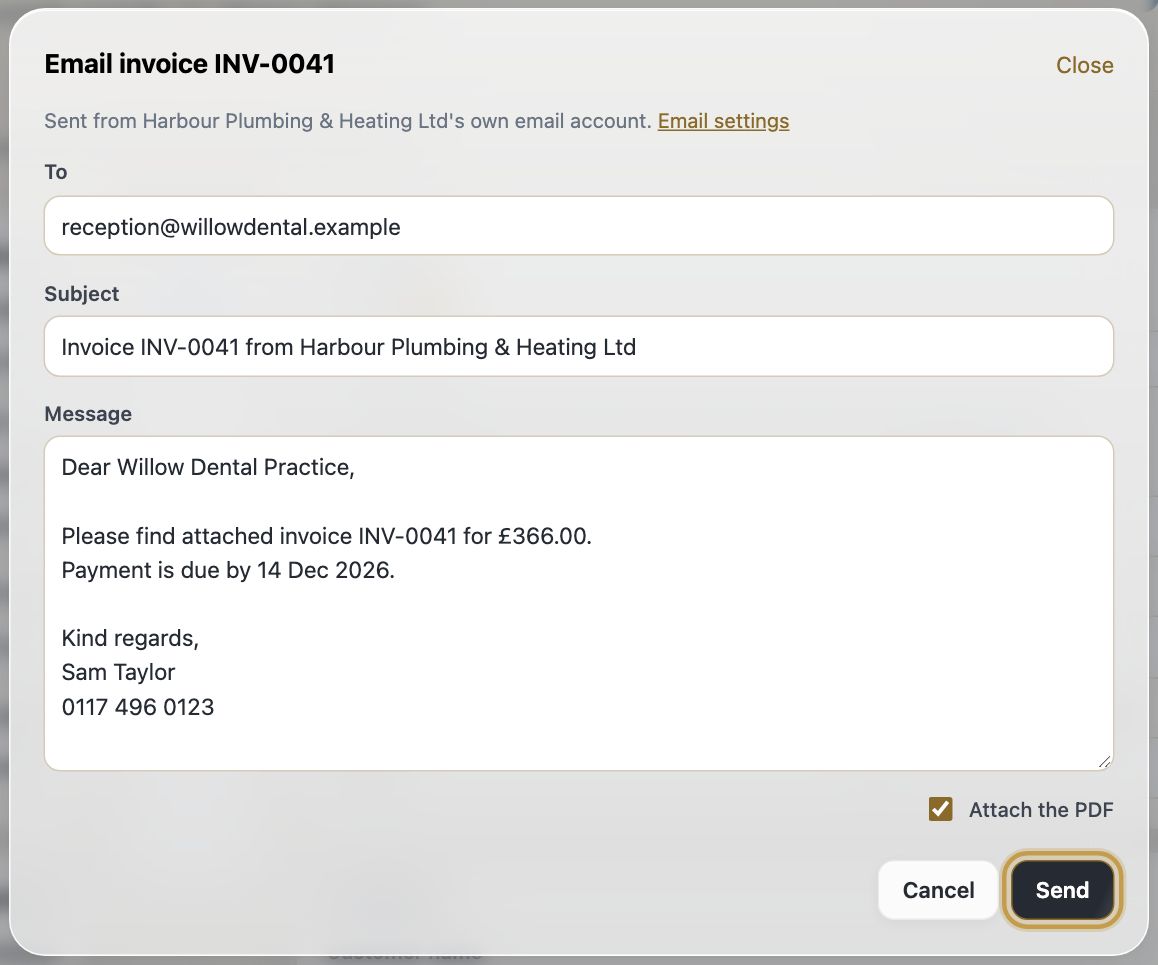
Check the email and send it
The customer’s address, a subject and a message are filled in, and the PDF is attached. Change anything you like, then choose Send.
-
Or share it on WhatsApp
On a phone, WhatsApp hands the PDF to WhatsApp so you can choose the chat. On a computer, it opens WhatsApp at the customer’s chat.

-
Or download or print it
Download PDF saves an A4 PDF you can attach anywhere. Print prints the same page.
